Designing agent-native workflows for highly-technical power users
How I designed the Behavior Graph, FERMÀT's agent-native platform for the forward-deployed PMs who run growth for our brands. It leads with a list of things to do instead of an empty prompt box, organizes work around goals, and makes every workspace an agent that keeps working when no one's looking.
What changes when your analytics can act
FERMÀT 2.0 · Staff Product Designer · 1 designer, 1 PM, 5 engineers
Analytics products are built around a question. You open a dashboard, choose a metric, filter, compare, and eventually find something worth acting on. Every part of that experience assumes the hard part is getting the answer.
For FERMÀT's forward-deployed product managers (FDPMs), the internal power users who run growth for our brands, that stopped being true. With the Fermat MCP and BigQuery wired into their CLI, an agent could answer almost anything. The hard part moved. Now it was knowing what to ask, turning an answer into a decision, and doing it all again next week.
The Behavior Graph is built for that shift. It's an agent-native platform, and its main output isn't a chart or a chat transcript. It's a list of things to do.
Start from the answer, not the question
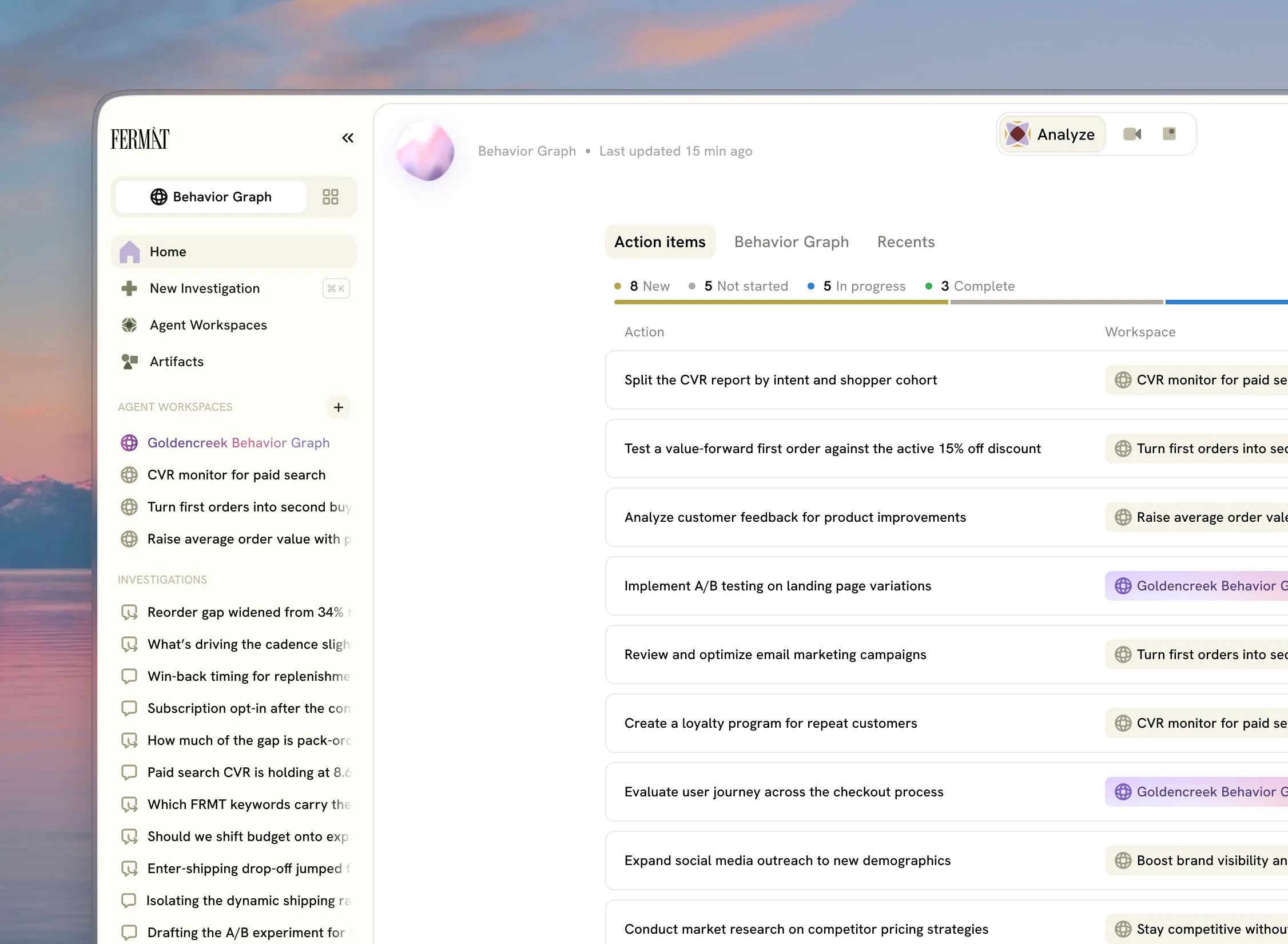
The homepage is a list of action items: what the graph found, what it suggests, and where each one stands.
The usual entry point for an AI product is a big, empty prompt box. But knowing what to ask is the hardest part of the job, and a blank prompt hands it straight back to the user. Leading with action items puts the system's work first and the user's judgment second.
The prompt box still exists. It lives inside the workspace, where it has context. And when someone needs a place to start, drafted questions offer one.
Organize around goals, not products
Most commerce platforms are organized by product: funnels here, product pages there, analytics somewhere else. FDPMs think in goals, each with a set of workstreams under it, and those workstreams rarely line up with a single product.
So the core object is the Workspace, a persistent environment built around a goal. One workspace can work across funnels, product pages, and the brand's main site, wherever the goal leads. The product's structure follows the user's work, not ours.
The workspace is the agent
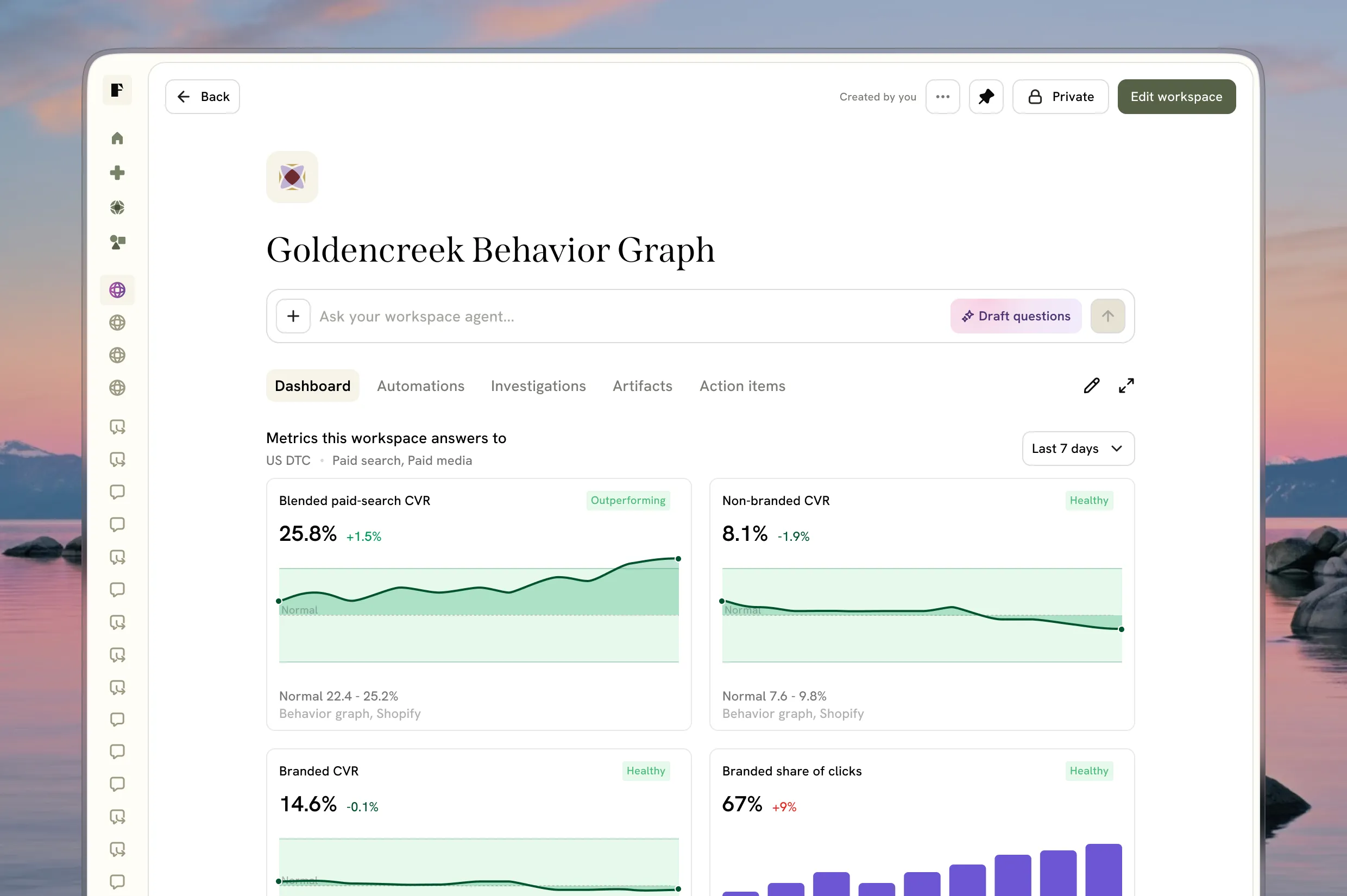
In most AI products, an agent is something separate that you configure and then point at your work. In the Behavior Graph, they're the same object. Every workspace is an agent. Its brief holds the standing instructions, the sources it can reach, and the actions it can take.
When people picture an agent, they picture something that owns a goal and keeps working on it. A workspace already is that. Making them one object means there's nothing extra to set up, and everything the agent does has a home.
That shapes the workspace itself:
It opens on a dashboard of what the agent has produced, not a chat history.
The brief has its own place, kept separate from the work.
Investigations, conversations with the workspace's agent, hold the work instead of linking out to it. Artifacts and existing surfaces like session replays open inline.
Lead with the action, let the evidence wait
Analytics cards usually lead with the insight: what changed, and why it matters. Action item cards lead with the action and its status, in a row you can scan. Expand the row to see the evidence and act on it.
When a system can produce insights all day, insights are cheap and attention isn't. One insight can also lead to several actions, so the action is the unit that's actually worth tracking. The card summarizes a decision, and the evidence is there when you want it, one click deeper.
Make “always on” visible, but quiet
A traditional tool sits idle until you use it. An agent platform keeps working when you aren't looking, and the interface has to show that without getting noisy. The visual system has three materials, each with one job:
A calm, dense surface for the work. Tables, dashboards, and chat stay quiet so the data can be loud.
A breathing, unmistakable material for the always-on agent. The orb is a WebGL shader that gently signals the graph is running, even when nothing needs your attention.
A dynamic “computer-at-work” material for when the agent is busy. A Braille loader with particle dust and an animated “thinking” button show progress without taking over the screen.
Simple at a glance, special under the surface.
Work that repeats should run itself
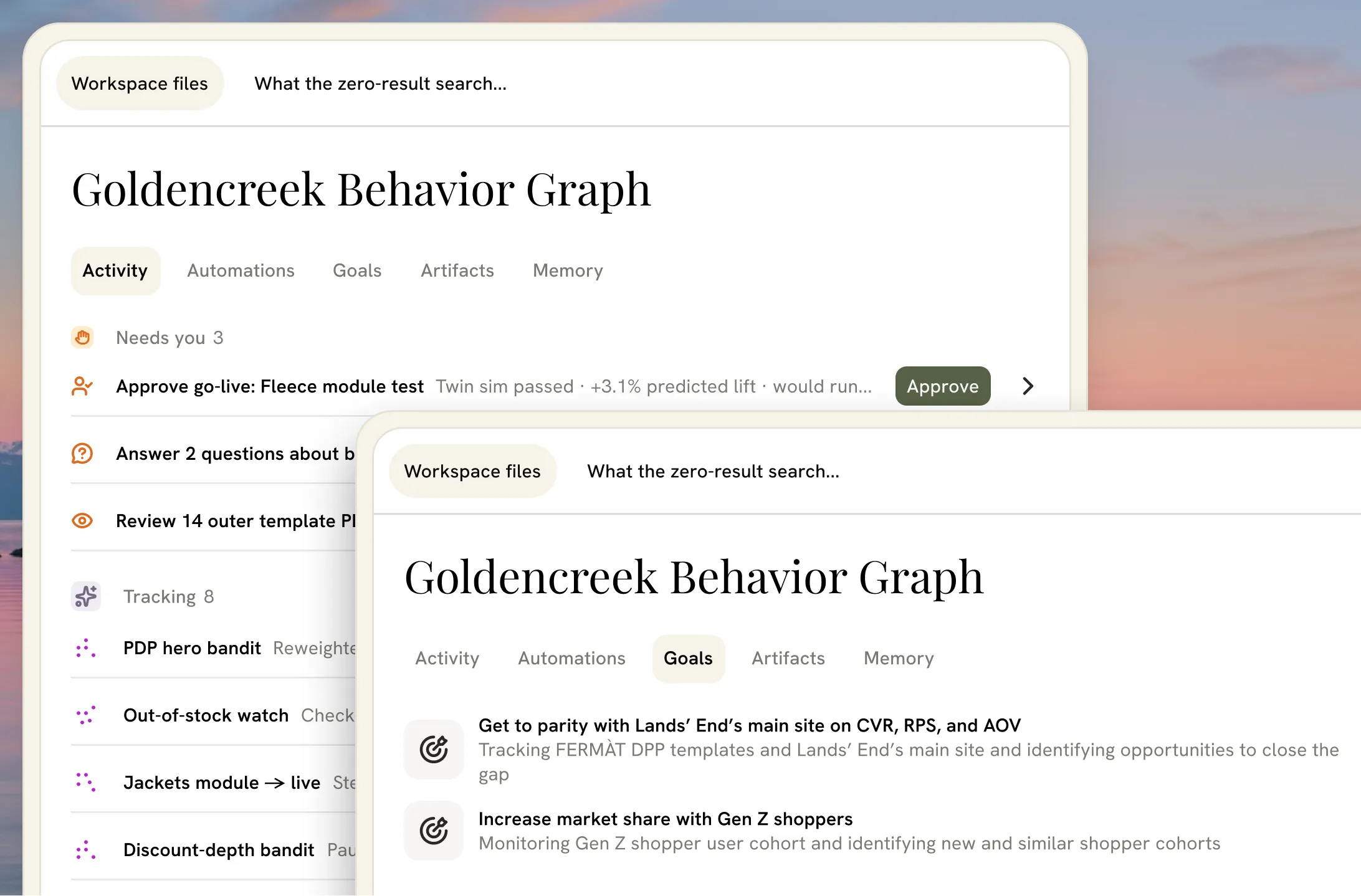
Much of an FDPM's week used to go to rebuilding last week's work. In the Behavior Graph, automations sit at the center of the workspace. Recurring reports, monitors, and checks run on their own and feed new action items back to the homepage.
Where it goes next
The Behavior Graph is early, and its users are telling us where to go next:
Start broad before going deep. The agent should ask questions until it finds what matters, then produce artifacts, not hand over a full report on the first turn.
Meet FDPMs where they already work. We're bringing the agent up to parity with the MCP they trust in their CLI, and letting them bring their existing skills straight into the platform.
Bring the client into the loop. FDPMs will share a live workspace with the brands they work with, instead of a PDF of it.